Skip to content

Smart Lockers Enhance Workplace Efficiency

The landscape of office spaces has transformed dramatically, especially post-pandemic. With the introduction of smart lockers, workplaces are evolving to meet the modern demands of flexibility, security, and employee satisfaction. As companies transition to hybrid work models, these lockers serve as a crucial component in promoting an organized and efficient work environment. Organizations can leverage smart lockers to optimize space utilization and improve the employee experience significantly.

Employee vs Company-Driven Strategy

In this blog post, we will explore best practices for implementing smart lockers in the workplace. We will discuss employee-driven strategies, locker accessibility, user guidance, the administration of lockers, traffic flow considerations, and more. By the end of this article, you’ll understand how to effectively integrate smart lockers into your office design and culture.

Understanding Utilization Rates

Understanding locker usage requires insight into employee behavior and preferences. A 90-day pilot program can provide important data about how employees interact with smart lockers. This approach allows companies to determine locker assignment patterns, including if there are prevalent squatting behaviors or spontaneous locker changes across departments. Adjusting the locker strategy based on this analysis fosters alignment with the company culture.

“Let your staff use your lockers before you write your policies.”

This quote emphasizes the importance of real-world testing over theoretical policy-making, ensuring that the procedures implemented resonate with the actual user experience.
As companies adapt, they should also embrace the notion that there is not a single perfect model for locker usage. Flexibility is paramount, allowing policies to evolve based on the dynamic needs of staff. A successful hybrid workplace considers the delicate balance between employee needs and operational efficiency.

Assigned & Unassigned Considerations

Smart lockers can be categorized into assigned and unassigned systems, each serving distinct operational needs. Assigned lockers provide specific individuals a designated space, ensuring a secure environment for personal belongings. This option is ideal for employees frequently in the office, supporting a clean desk policy.

On the other hand, unassigned lockers offer greater flexibility, permitting employees to access storage on an as-needed basis. For example, day-use lockers can benefit transient workers by offering them temporary storage. The smart locker system should facilitate an environment where both assignment types coexist, driving adaptability and worker satisfaction.

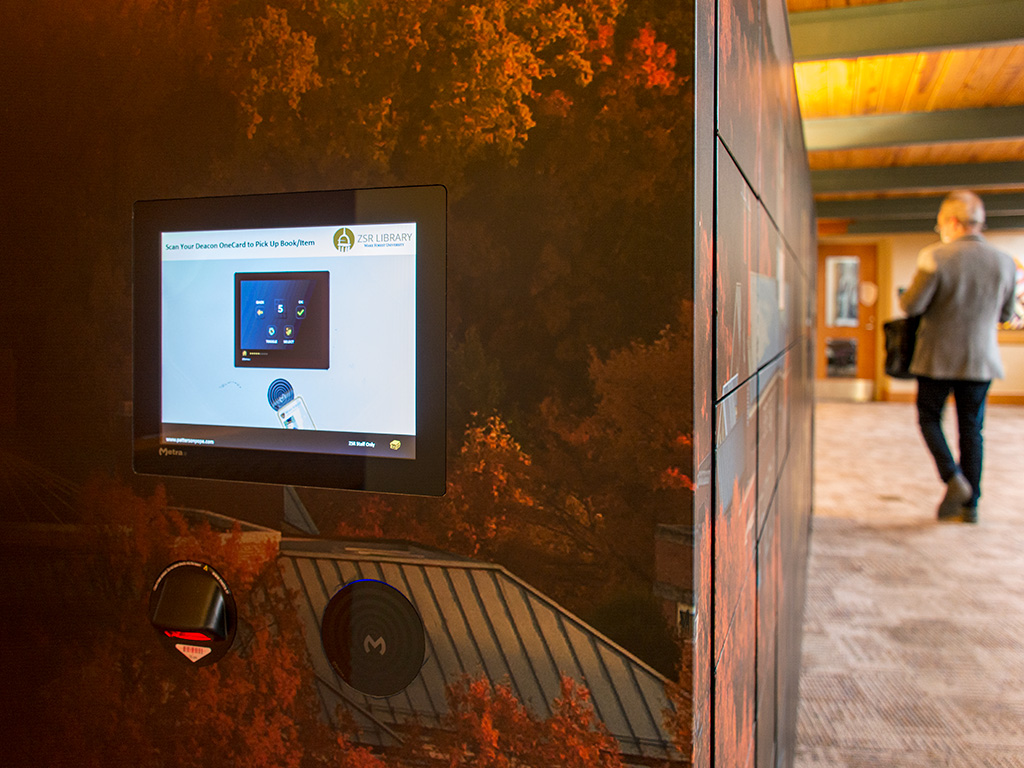
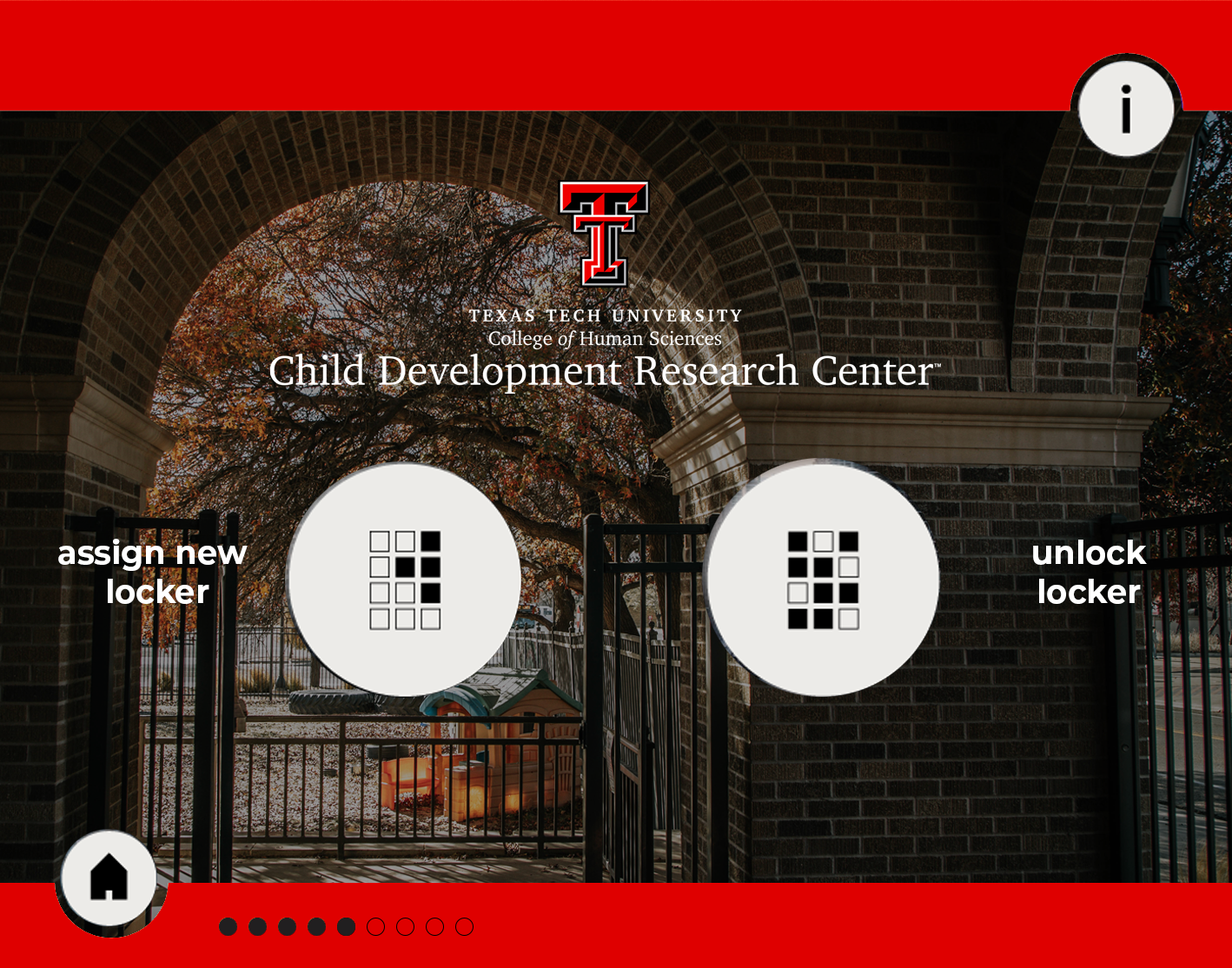
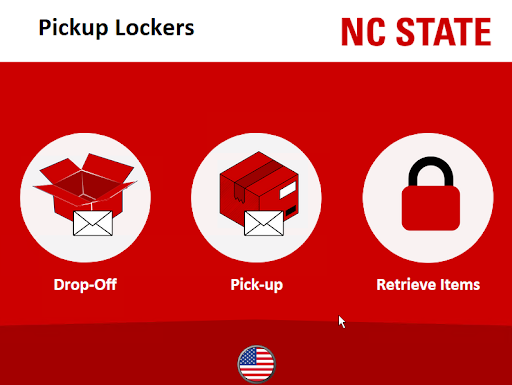
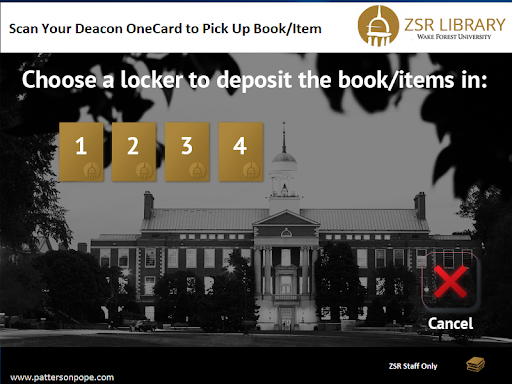
TOUCHSCREEN EXAMPLES

User Experience & Options

Enhancing the user experience is crucial when implementing smart lockers. User interface options such as touchscreens allow for personalization and a streamlined workflow. The touchscreen can house various configurations, allowing users to select preferences such as locker size or height.

Moreover, incorporating guidance, like instructional screens, ensures that both employees and visitors can easily navigate the system. The customization can include branding to reflect company culture while providing practical utility. Understanding user behavior through feedback helps in continually adapting these interfaces to better meet workplace needs.

Locker Accessibility
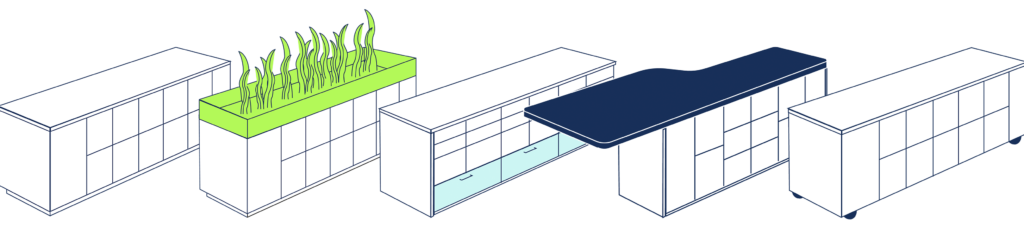
Accessibility for all employees is critical when planning locker systems. Factors such as locker height can create challenges, particularly for individuals of varying physical abilities. To address this, smart locker systems can include options for users to set their preferred locker height and further assist those needing specific accommodations.

Additional support structures, such as thorough training and guides, can pave the way for smoother transitions. Ensuring that lockers are accessible and user-friendly aligns with modern workplace design’s inclusivity goals.

User Guidance & Training

Effective training for users and administrators is key to successful locker implementation. Comprehensive guides, whether in video format or concise printed materials, can significantly enhance user confidence.

Employing floor ambassadors during the rollout can provide immediate assistance and help address common queries, thereby fostering an environment of learning and adaptability.

Locker Administration

Establishing an effective administration process for smart lockers streamlines usage and enhances overall efficiency. Administrators must monitor data reflecting locker utilization trends while being attentive to employee feedback.

"Understanding how your users use your space will help you better understand how to properly accommodate them."

This insight is pivotal for fine-tuning locker approaches, ensuring that the system evolves alongside changing requirements and maximizes employee satisfaction.

Traffic Flow Considerations

In busy workplaces, traffic flow considerations will impact locker usability. It is essential to analyze patterns and implement best practices to prevent bottlenecks, ensuring efficient access throughout the day. Well-placed interfaces with sufficient reader options can significantly enhance employee experiences and reduce downtime during high traffic periods.

To Conclude

Smart lockers represent a pivotal aspect of contemporary workplace design, accommodating the flexible needs of modern employees. By applying best practices, companies can enhance the effectiveness of their locker solutions, leading to better employee satisfaction, improved productivity, and a more organized work environment.

Incorporating user feedback into the ongoing development of locker policies and structures ensures that companies remain adaptive to employee needs. Emphasizing smart locker systems aligns organizational values with operational effectiveness, shaping a workplace that is both functional and engaging for all users.

It's more than
just a locker.

Have questions? Or want to get in touch? We'll get back to you soon.